 Download
 Start 7-day Trial
01
Visual Steps
Arrange conditions, transforms, scripts, and one final output in a readable pipeline.
Pasteon is a local-first clipboard manager for Mac. Collect, extract, transform, merge, split, and sync copied content between your Macs.
 Local-first privacySmart actionsLocal network sync
Pasteon recognizes what you copied and brings up contextual actions for images, colors, links, files, text, and structured data.
 Search Clipboard
 Image 1.jpg
 Image 2.jpgImage 3.jpgImage 4.jpg
 Copy
Copy Enter
Enter Actions
Combine visual Steps or local scripts with reusable variables, content-aware inputs, and predictable outputs. Your Workflow appears beside Pasteon’s built-in actions when the selected clip matches.
Arrange conditions, transforms, scripts, and one final output in a readable pipeline.
Read versioned JSON from stdin and return text, files, URLs, or dynamic action choices.
Keep regular configuration with the Workflow and sensitive values in macOS Keychain.
Choose clipboard types and conditions so each Workflow appears only when it is relevant.
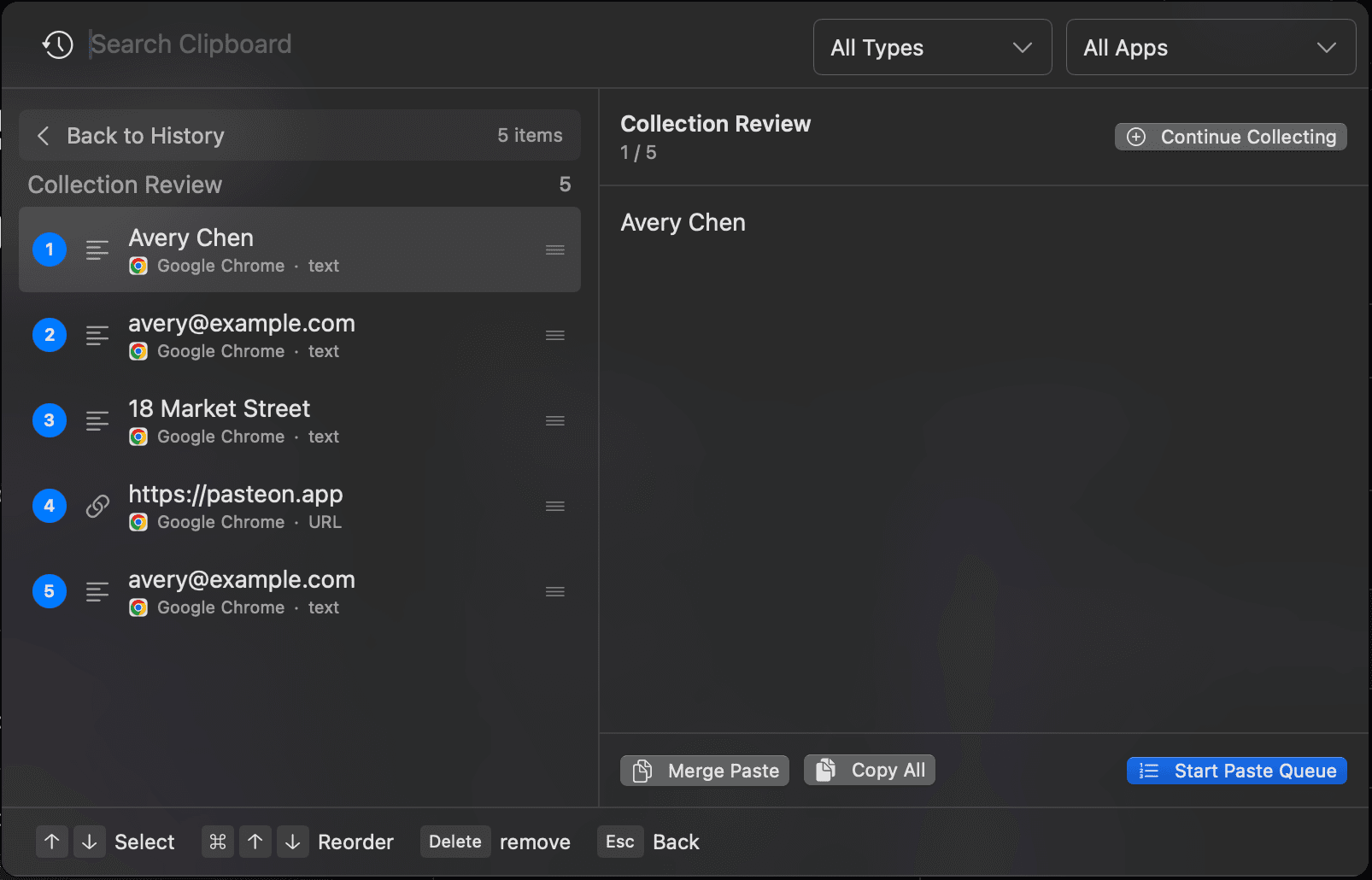
Start a temporary collection, keep copying normally, then review and send the ordered items to Merge Paste or Paste Queue.
Every collected item still remains in your regular clipboard history.
Explore Collect Mode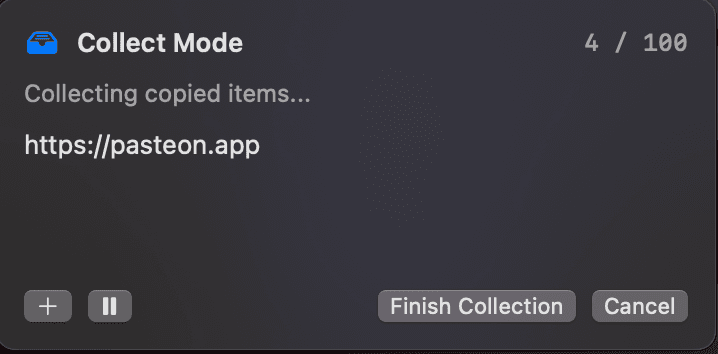
Reshape copied content before you paste. Break one block into a controlled queue, or combine separate history items into one ready-to-use result.
Pasteon can split copied text into separate items, then queue them for fast repeated pasting across forms, spreadsheets, dashboards, and everyday admin workflows.
Split by line, blank line, tab, comma, or a custom separator.Turn split text into a paste queue for repeated form filling.Auto-advance after Command + V, with previous, next, and stop controls.Pasteon can sync clipboard history over your local network, so copied content is ready on your other Mac without sending it through the cloud.
Sync clipboard history between your Macs on the same local network.No cloud account, no third-party relay, no clipboard data leaving your LAN.Pick up copied text, links, images, and files from another Mac instantly.

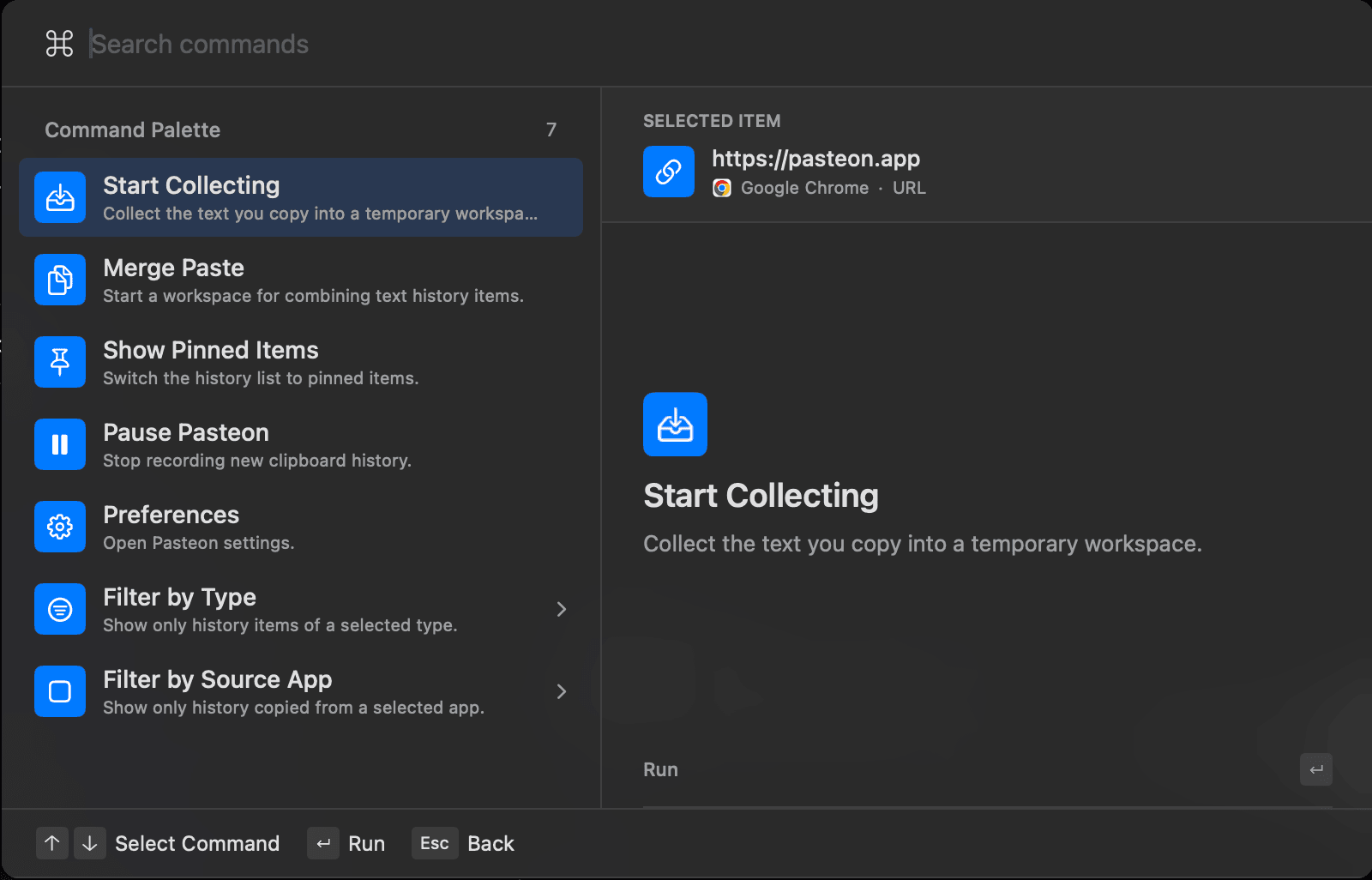
Press Command K to search and run Pasteon commands without leaving your keyboard or losing the clipboard item you were working with.
Start Collect Mode, pause Pasteon, open settings, or jump to pinned items.
Narrow clipboard history by content type or source app from the same interface.
Open Split Content, Merge Paste, or Paste Queue when the selected content supports it.
Commands are matched locally using your selected clip and current Pasteon workflow.
Pasteon turns copy and paste into a fast, searchable, private command center for everything you reuse.

Open Pasteon and find what you copied seconds, hours, or days ago without breaking flow.

Clipboard data stays on your Mac. Pasteon is built for private workflows, not background collection.

Images, colors, links, files, and text each get useful actions instead of a generic paste list.
Move between your Macs on the same network and keep copied content available where you need it.
Start free with the clipboard essentials, or unlock the complete Pasteon workflow with a paid plan.
The clipboard essentials for one Mac, with no subscription or expiration date.
Basic clipboard historyCopy and pasteSearch clipboard historyUse on 1 MacA flexible way to try Pasteon in your daily workflow.
Unlimited clipboard historyUse on up to 3 MacsSmart actions and rich previewsAdvanced Paste QueueLocal network sync for nearby MacsLocal-first privacyBest for people who rely on clipboard history every day.
Everything in MonthlyUse on up to 3 MacsAdvanced Paste QueueLocal network sync for nearby MacsPriority supportAll feature updates includedPay once and keep Pasteon as part of your Mac setup.
Everything in AnnualUse on up to 3 MacsAdvanced Paste QueueLocal network sync for nearby MacsOne-time purchaseLifetime updates includedThe essentials about free history, Workflows, privacy, multi-item paste, plans, and syncing between Macs.
Send us your purchase email, macOS version, and what you were trying to do. We usually only need those details to diagnose activation or billing issues.
Contact support